
## How to make payment for Bual CloudPhone
Learning on how to make payment for Bual CloudPhone could not be more easier. Here is what you have to do in order to make payment for the plan you chose. The guides are separated to two topics, which is for New user and Existing user.
### New user
If this is the first time you are subscribing a Bual CloudPhone plan, just proceed shopping on the website, you will be taken to a checkout page where you can pay using Senangpay.
### Existing user
For your monthly renewal, you can choose on how to make payment by the methods below.
### Debit / Credit Card
Use your debit or credit card to pay your subscription through Telinta Portal.
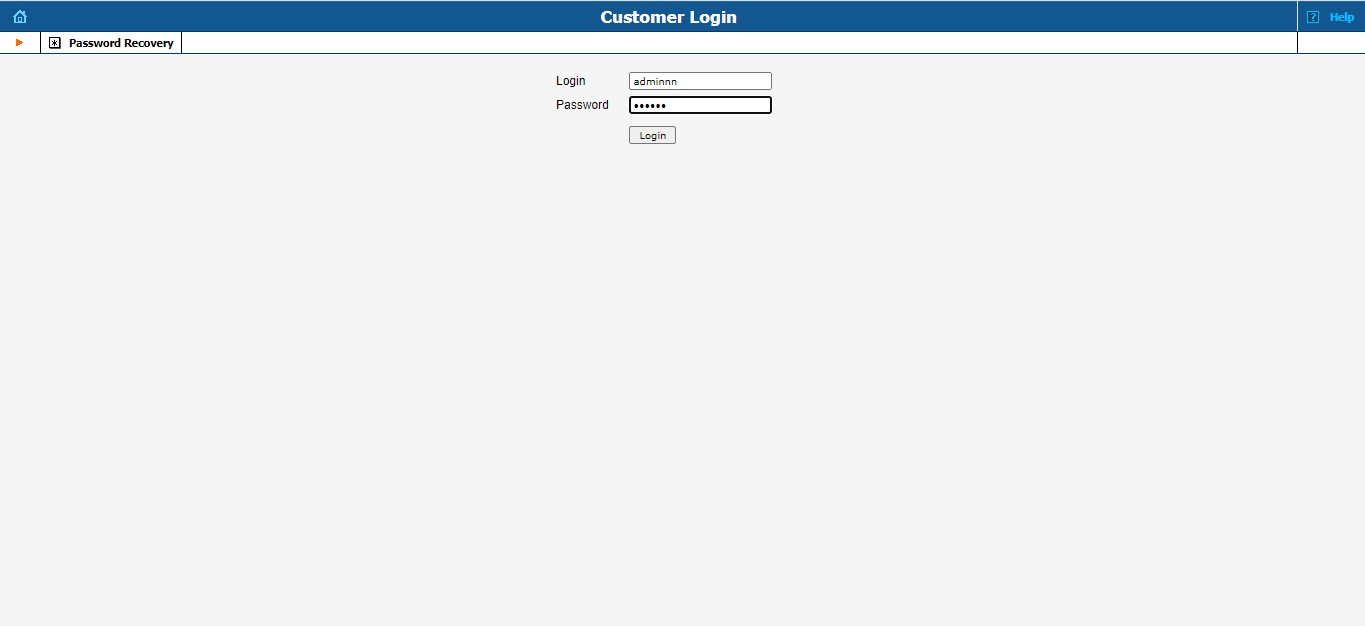
1. First, you need to login to your dashboard account at Telinta Portal. Go to this link and submit your credential.
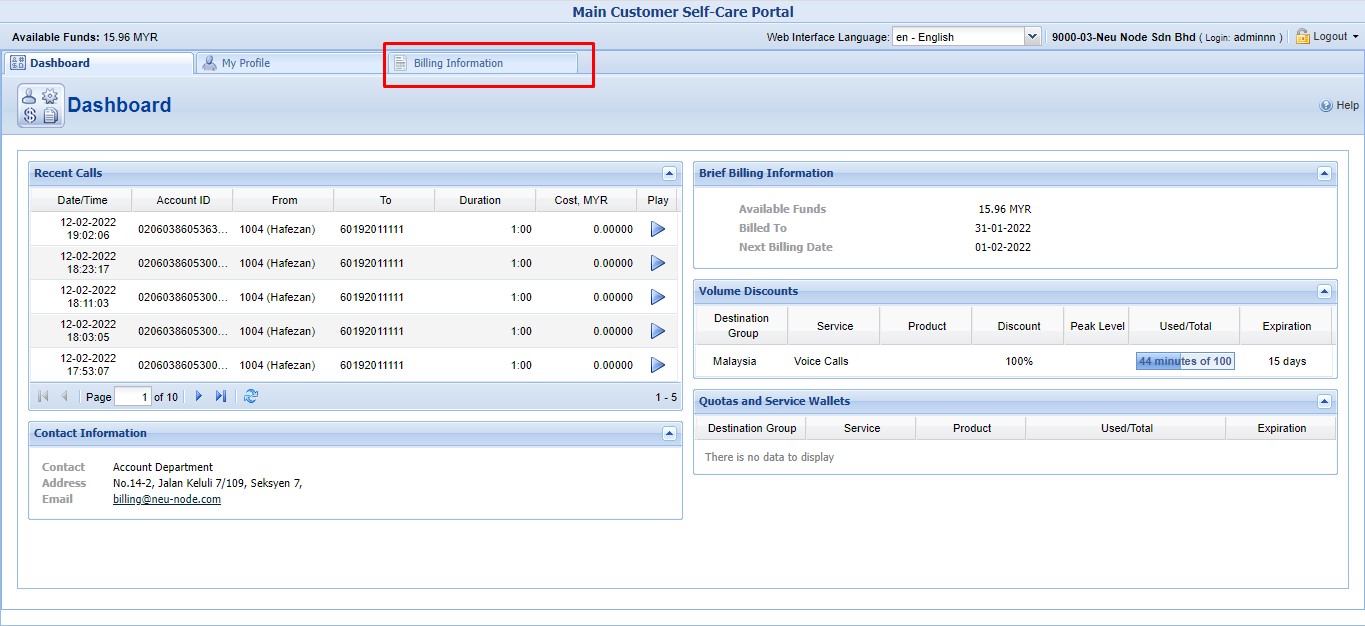
2. After successfully login, you will see your dashboard as image below. Click on the Billing Information tab located at top of the dashboard.
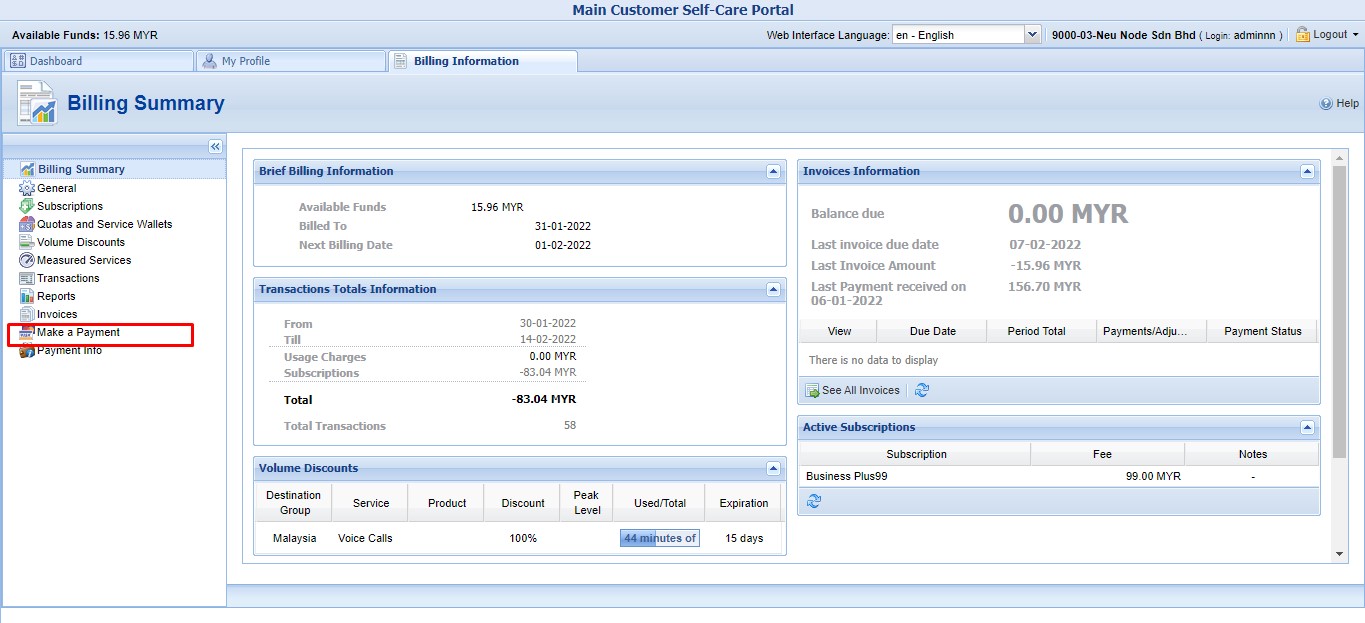
3. In the Billing Information section, you will see Billing Summary at the left side. Under the Billing Summary, you will see Make a Payment option. Click it.
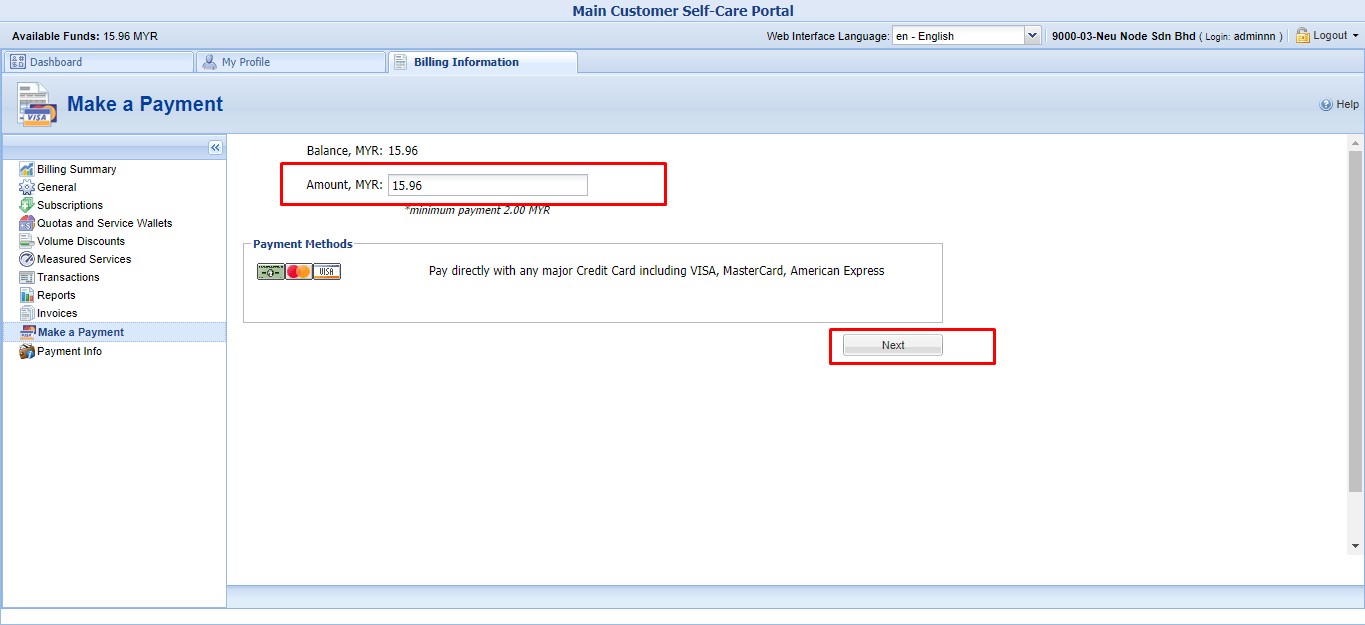
4. Enter how much you want to pay at the Amount field, with minimum payment at 2MYR. Click Next to proceed.
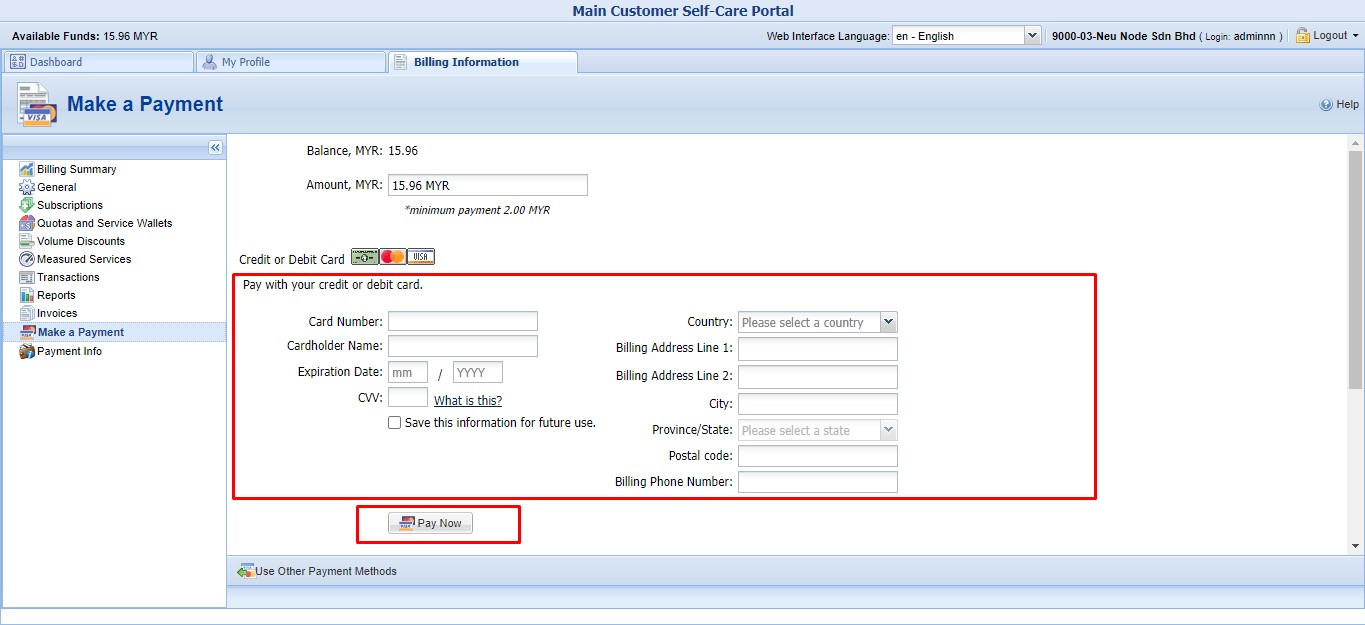
5. For final step, enter your card information and click Pay Now.
How to make payment for Bual CloudPhone
Learning on how to make payment for Bual CloudPhone could not be more easier. Here is what you have to do in order to make payment for the plan you chose. The guides are separated to two topics, which is for New user and Existing user.